In today’s competitive educational landscape, school administrators and education professionals are increasingly concerned with a vital question: how can a school become more welcoming online? For private and charter schools, this is not merely a technical checkbox—it is a matter of visibility, professional trust, and building a truly inclusive community. This is where accessible web design becomes a critical component of your school’s strategic marketing and institutional identity.
Why Accessibility is a Strategic Necessity for Schools
Private and charter schools rely heavily on enrollment, and in a digital-first world, your website is often the first interaction a prospective family has with your brand. If that experience is not accessible to everyone—including individuals with disabilities—you risk alienating families before you ever have the chance to share your mission. Accessible web design ensures that your site can be navigated by everyone, including screen reader users, keyboard-only navigators, and those with visual or cognitive impairments. Beyond being a frequent legal requirement, prioritizing accessibility is a clear signal of your school’s commitment to equity and inclusion.
Core Elements of an Accessible Digital Campus
I often compare a poorly designed website to a physical school building with no ramps, confusing signage, and inaccessible classrooms. To prevent this digital “barrier,” several core elements must be integrated into your site’s architecture. This includes ensuring full keyboard navigation for those who do not use a mouse, providing descriptive alt text so screen readers can interpret visual content, and maintaining a proper heading structure to improve site flow. Additionally, high color contrast and font clarity are essential for users with low vision, while captioned videos ensure your communications are available to those who are d/Deaf or hard of hearing.
Boosting Enrollment Through Inclusive Design
When your website is accessible, you do more than just meet a standard; you widen your institutional reach. An inclusive site reflects the values you practice on campus, building immediate trust with families. Furthermore, accessible features significantly improve your SEO, as search engines reward clear structures and user-friendly interfaces. By enhancing the user experience (UX) for all visitors, you ensure that families can find information without frustration, making them far more likely to book a tour or submit an application.
The “Wildcard” Myth: Aesthetics vs. Inclusion
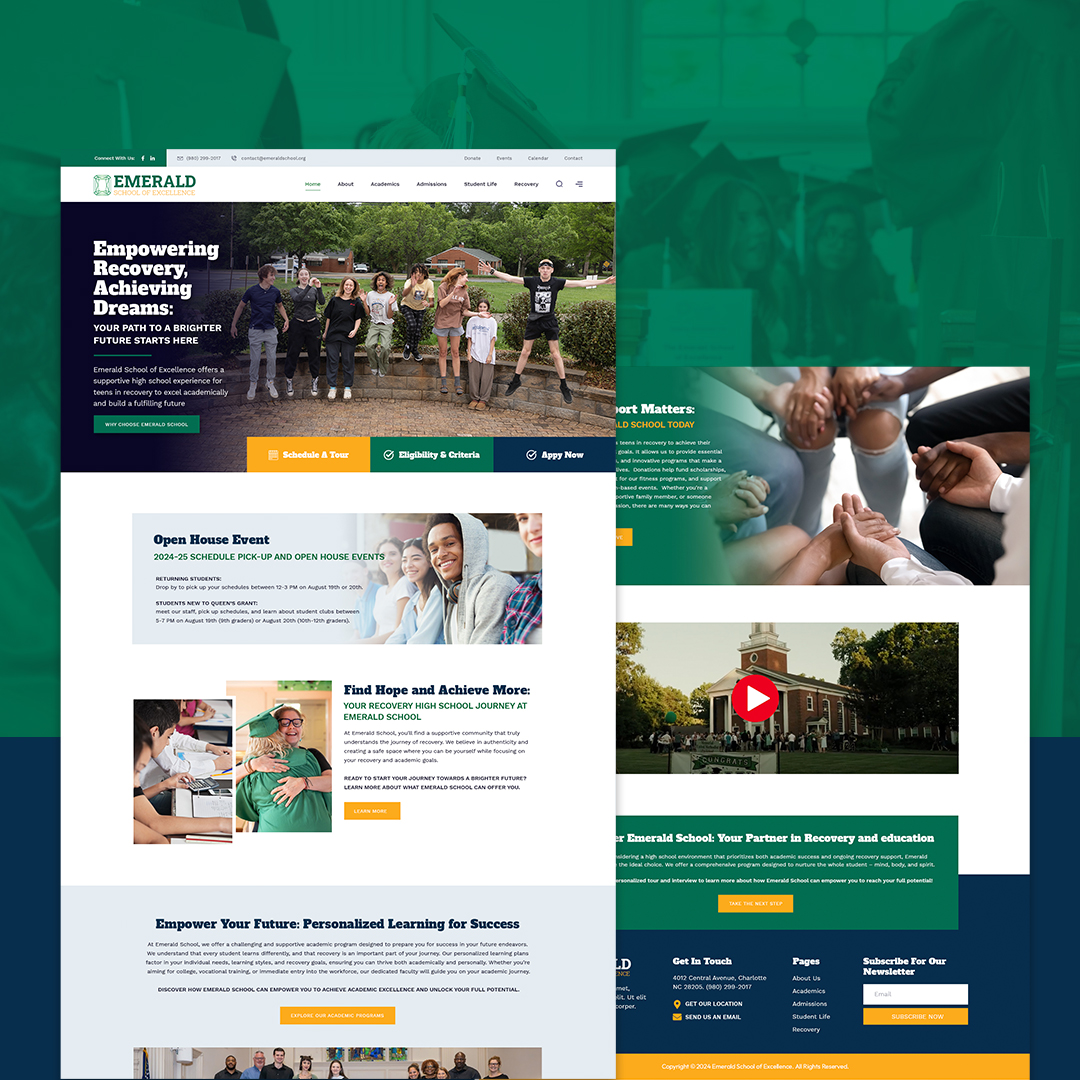
One common misconception in the education sector is that accessibility limits creativity or results in a “boring” design. In reality, good design and inclusion work in tandem. At NANZORIGINAL Group, our work with institutions like the Emerald School of Excellence proves that a site can be visually stunning, mobile-friendly, and fully WCAG-compliant. By choosing an integrated framework that prioritizes both beauty and function, we create digital spaces that communities are proud to share and that authentically reflect a school’s unique spirit.
Immediate Steps for Digital Improvement
You do not need a complete overhaul to begin improving your school’s digital hygiene. I recommend starting today with a basic accessibility audit using tools like Google Lighthouse or WAVE. Checking your site’s color contrast and ensuring that your headings (H1, H2, H3) follow a logical order are high-impact, low-cost moves. Adding alt text to your image library and providing transcripts for audio content are also essential steps toward establishing your school as a leader in digital thought leadership and inclusivity.
Conclusion: The Bigger Picture of Digital Welcome
Accessible web design for schools is about more than avoiding legal risk; it is about creating a warm, effective digital space that welcomes every family. By prioritizing these standards, you strengthen your brand reputation and improve engagement across your entire community. A well-designed, accessible website is a strategic asset that delivers real-world results in enrollment and community satisfaction. If you are ready to build a more inclusive online presence, let’s start a conversation about how to make your school’s digital front door open to everyone.